
Frequently Asked Questions
What is VirtuaDash?
VirtuaDash is a dashcam-agnostic player/exporter for desktops that lets you play, trim, and export dashcam videos with embedded maps. You can also extract GPS data and merge multiple videos easily.
Can I try VirtuaDash for free?
Yes! The fully-featured app is free to try for 14 days. Just download from the website, and you're off!
What platforms are supported?
Currently, VirtuaDash is available for Windows.
Will my [Specific Brand/Model] Dashcam work?
VirtuaDash works best with dashcams that embed GPS data directly in their videos — most popular models should work out-of-the-box. We recommend using the trial period to test your specific dashcam and share feedback if you run into any issues. If your dashcam does not embed GPS coordinates in the video file, VirtuaDash can still play the footage, but map-related features will not be available.
Does VirtuaDash share any of my data with third parties?
VirtuaDash uses Mapbox to generate accurate route maps. This means that anonymized GPS data (latitude, longitude, and timestamps) is sent securely to Mapbox's servers during route-matching. No personal identifiers, email addresses, or video footage are ever shared.
We use Paddle as our payment provider. When you purchase a subscription, payment details (such as billing information and payment method) are processed securely by Paddle. VirtuaDash does not store or process your credit card information.
We use Cloudflare Turnstile to protect our signup forms from abuse; this may process limited technical information (e.g. browser and network characteristics) solely for security purposes.
Why do I see a Windows SmartScreen warning when running VirtuaDash?
Because VirtuaDash is brand new and not yet widely downloaded, Windows may display a “Windows protected your PC” message the first time you run it.
This doesn’t mean it’s unsafe, only that Microsoft hasn’t yet seen enough installations to mark it as “trusted.”
Here's how to verify the installer is genuine:
- On the SmartScreen warning, click More Info
- Check that the publisher name is Arjun Rajan - this is the registered developer of VirtuaDash
- Confirm the file name matches the one you downloaded from our official website
- Once verified, click Run anyway to continue
On Windows 10
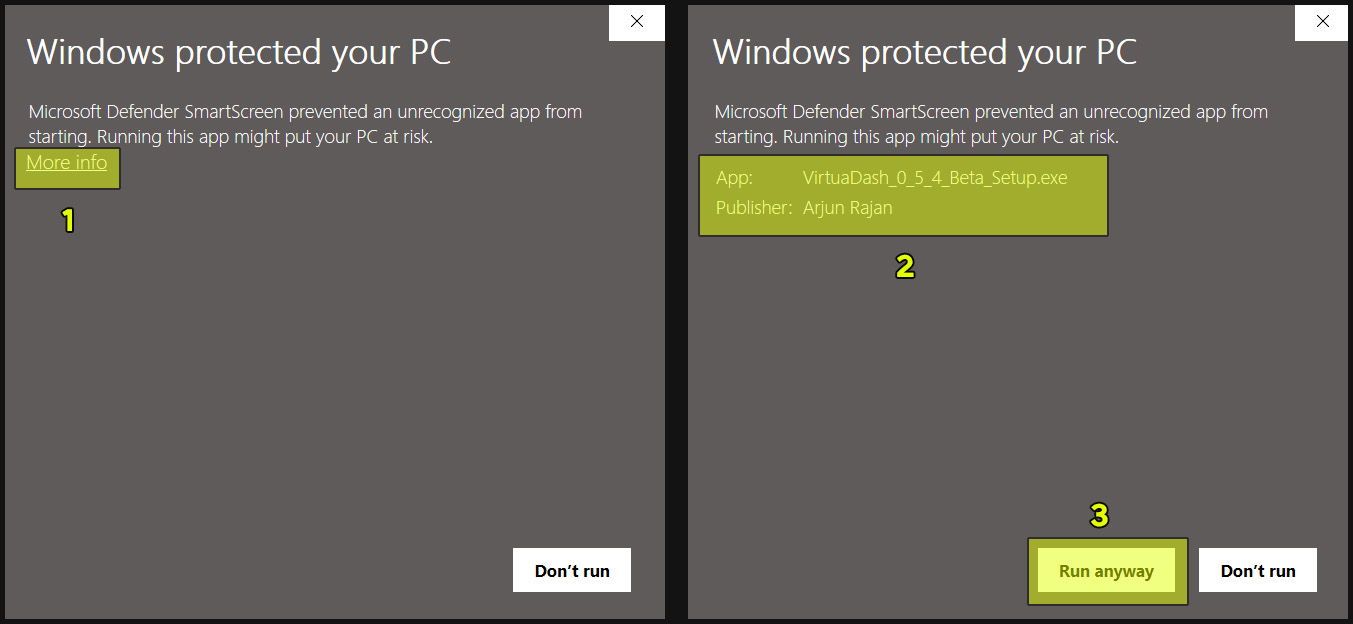
On Windows 11
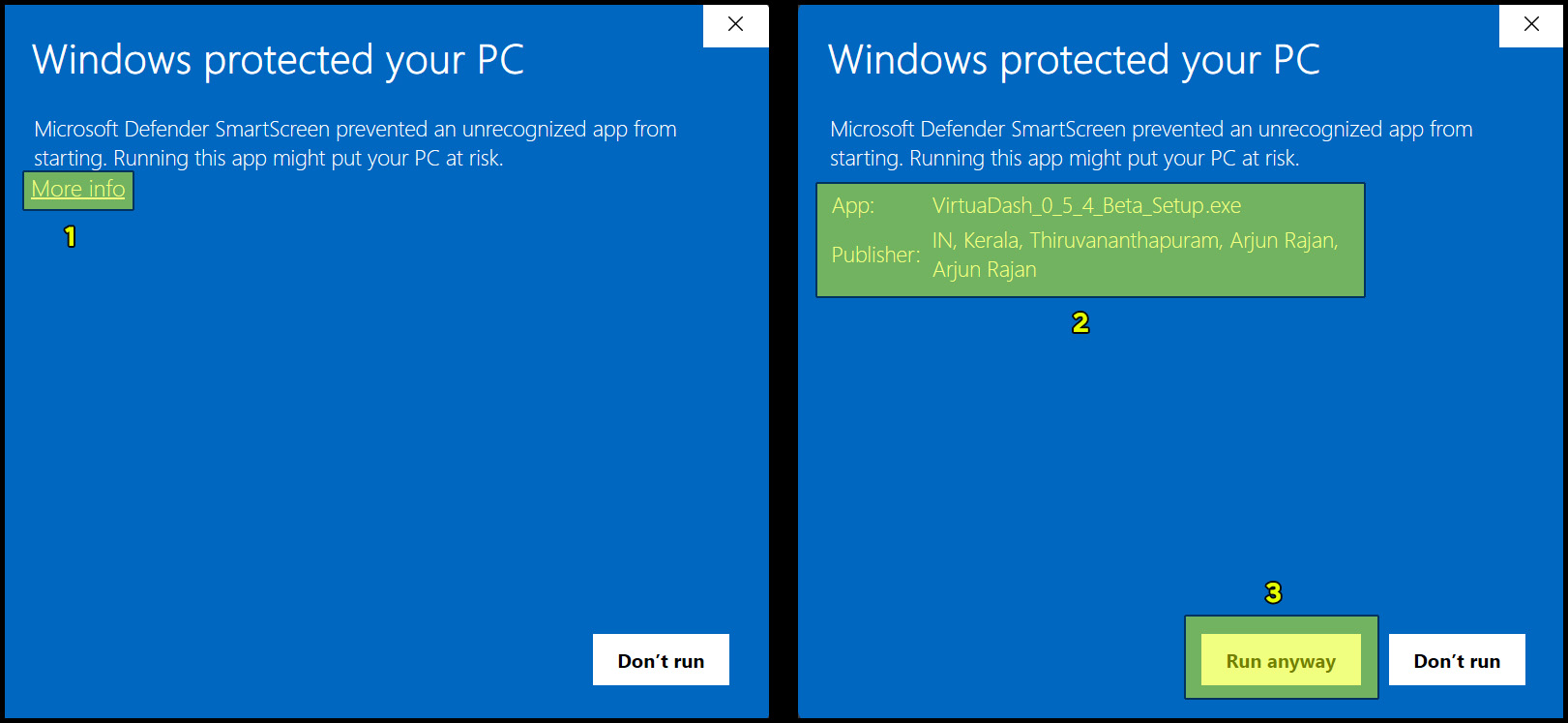
In due course of time, with a greater number of installations, this warning will stop appearing automatically.
Still stuck? Contact us.